
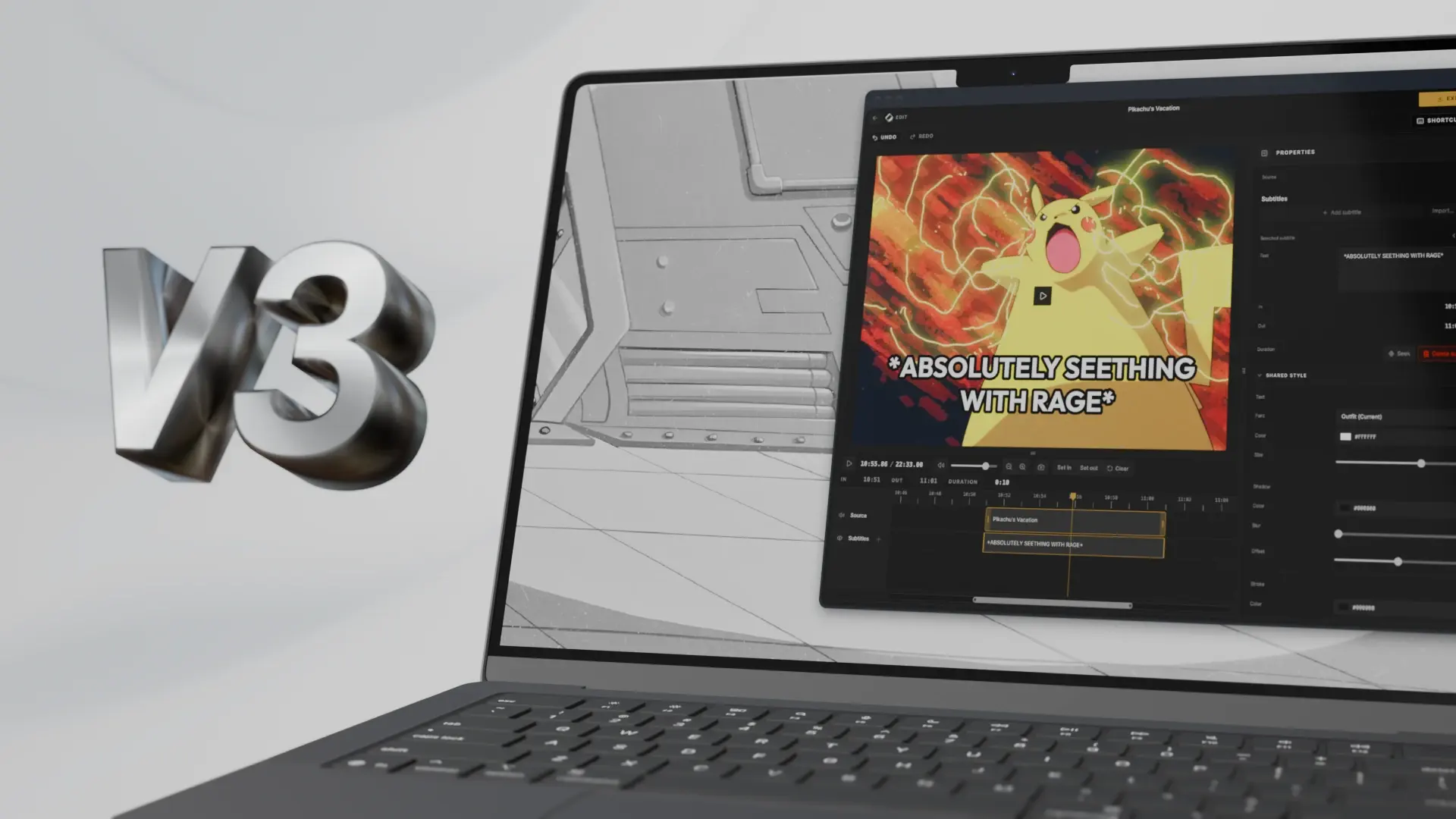
Version 3.0 so soon after v2? That’s right!
New features, “breaking” changes, and boring things that will make Cliparr more stable long term and ensure easier and more frequent maintenace.
Just like last time, the change to Cliparr’s major version number is driven by semantic versioning. Since the last update (2.0.2), we’ve incorporated a few changes that are technically “breaking” changes but are unlikely to impact anyone using Cliparr today.
Featured on the LINUX Unplugged podcast
First, a quick look at a shoutout.
Cliparr was recently featured on the LINUX Unplugged podcast, and the hosts gave it the most exceptional review a developer could hope to hear. Check out what Chris Fisher, Wes Payne, and Brent Gervais had to say about Cliparr.

Read transcript
Now, I know we're going long here, but this, we couldn't pry this pick out of here.
This is the best pick of my life. I have never, ever had a better pick on this show, ever.
Till next week.
I don't know what I'm going to do. I haven't fully incorporated how I'm going to change
my life around this pick, but I'm beginning to experiment with it, maybe like something
on my phone, something on a laptop, and I got to have like something in VR. So, friends,
I want to tell you about, now, I know this is not going to be a big deal for everybody,
but it's very special to me. I want to tell you about Cliparr. Cliparr is a streamlined
media clipper that allows you to quickly create and download clips from what is currently
playing via Plex or Jellyfin. No way. Say a guy is watching King of the Hill on his TV,
he can pull this page up, and if you hit clip, it will grab just a little handle before the
moment you hit clip, and about 20 seconds after you hit clip. And it brings it up in
what is perhaps the best web interface I've ever seen for editing clips, and I've played
with a lot of them. It includes the transcript if the file has it, it pulls it right from
your Jellyfin or Plex server, and then you can, it has a way to trim it like a standard
linear video editor, you can trim the clip to what you want, and it has a bunch of great
export options to export just that clip. And it works so great. You can also expand beyond
what it clipped. So like if what with a region you wanted was earlier or later, you just expand
the clip and it has the entire file. You can also link MP4 files that are on an HTTP endpoint
or upload video files to it. But for me, there's been so many times when I'm watching something
and I'm like, I would love to play a clip of that on the show, or that would make a great
boost sound bite. Or there's been so many times I've been like, I wish audience members could
send us some great boost soundboard bites. And this way you can just be watching something.
If somebody says something that would make a great clip or something or a ringtone or
whatever, you just hit the button and it grabs a clip of it. Like I was watching Futurama
last night and this just, and I'm like, oh, and I just hit the button. Blockchain's not
the boss of me. I'm like, I gotta have that. Right? I just hit the button and then I just
trim it a little bit. Blockchain's not the boss of me. And I've got it now. I've got
it now. We've been asking for this ever since the boost sort of thing, basically. Yeah. Or
anytime you could play sounds or if you want like funny clips from a movie or if you and
your friends love a scene or something like that, or you want to share something from
a great episode over a messaging app. I mean, it goes on and on buddy. It's so good. It's
so good. It can burn in the subtitles if you want. It pulls from your existing media. Just
five months old it looks like all of the work. Like if there's any transcoding work required,
it's all done in the browser. Wow. It's this is impressive. It's really, really good. And
it's MIT licensed. Is there anything that's not so great about it? Like, I mean, you know,
it's new and so it's going to be, it's not a hundred percent. Like one time I went to
clip, I think it was a movie and it just brought the whole thing into the timeline, but then
it was really easy to just mark it in and out and just drop it. And so that was great. Nice.
And then you got, I haven't tried just uploading the local file, but they offer that. I'm so
happy. I'm so, so, so happy. It's so good. It's so good. It was so easy to set up too.
Oh, I have a question. You have recently when you so choose to do this manually, been taking
like a Dolby 5.1 channel audio and then like selecting the very specific channel you want.
Is that capable here yet? Or is that a feature? I don't think so. But I, one time I did bring
in a clip and I did see multiple tracks and I didn't poke around to see if some of them
were audio, but I don't think it does that. What you're saying is like, if you, if you're,
if you open up like something that surrounds and you grab just the center center channel,
that's almost always the dialogue mostly isolated. So it gets rid of someone like the background
music or sound effects and you get mostly just the dialogue, which is really a neat trick.
Oh gosh, Cliparr, Cliparr. So happy. So happy.
Listed on Selfh.st
selfh.st is the directory for discovering self-hosted applications for your home server.
Cliparr is now one of less than 40 applications listed in the Media Streaming category, alongside apps like Plex, Jellyfin, and other popular companion apps for self-hosted media management.
What’s new
Choose video, GIF, or audio
The updated export UI starts with a more deliberate choice of Video, GIF, or now Audio, with formats and settings tailored to each one. Your format selections are remembered when you switch export types.
New audio-only exports are perfect for soundboards, podcasts, sound bites for streamers, and more.
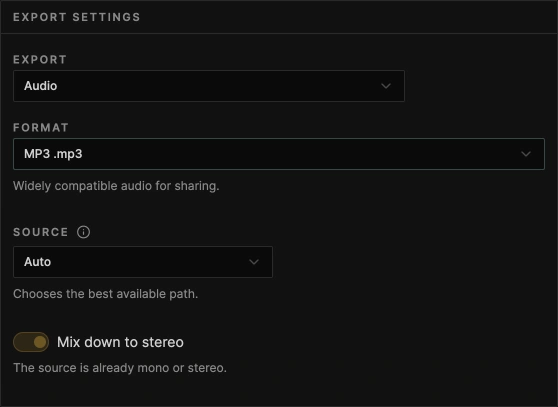
The new audio export options:
| Format | File | Type |
|---|---|---|
| MP3 | .mp3 | Lossy |
| M4A / AAC | .m4a | Lossy |
| Ogg / Opus | .ogg | Lossy |
| FLAC | .flac | Lossless |
| WAV | .wav | Lossless |
Along with the new audio export option, the export screen should feel more intuitive and easier to use. More settings now use smarter defaults based on the original media, and the export screen prevents you from choosing unsupported or incompatible options.
Fully customizable subtitle tracks
Subtitles are now fully customizable and independent of your source media. Freely add, edit, or remove captions, whether the original video includes subtitles or not.
Add your own captions and adjust their text, timing, and styling to suit your clip.
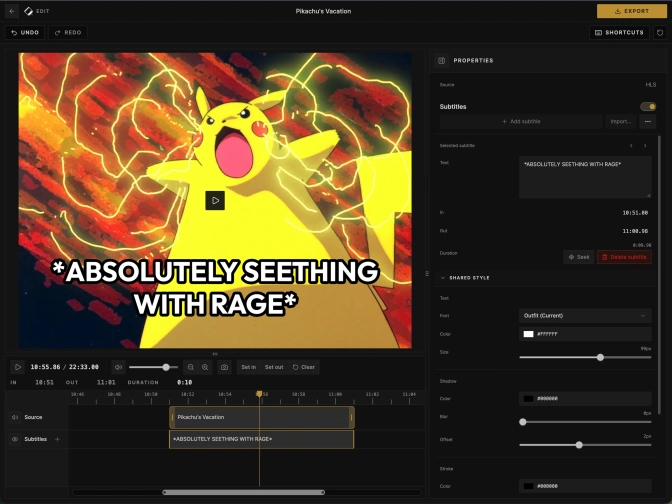
If no subtitles are found in the stream, the side panel includes a button to add a custom caption. The subtitle track in the editor now also has a + button that does the same. The Delete button remains in the side panel, and you can also use the Delete key.
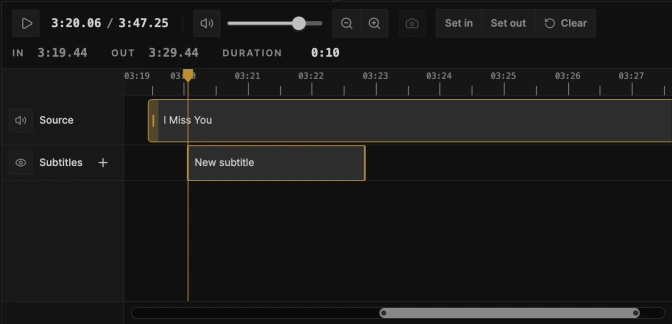
In future feature updates we will make the number of subtitle tracks dynamic, so you can layer captions like you might see in a typical TOP BOTTOM meme template. I would have liked to include that in this update, but it is going to have a substantial impact on UX and requires more consideration.
No more manual refreshing!
Until now, if you had Cliparr already open and changed the media on your server, you would often need to refresh the dashboard manually for the changes to appear. Not anymore! Plex and Jellyfin now broadcast changes to Cliparr for live updates. The refresh button in the dashboard has been removed.
This change was not free, however.
While it’s a small quality-of-life improvement for users, it required more setup in the Cliparr server to receive those updates and relay them to the Cliparr frontend.
This is a clean update, but if we ever want to make Cliparr a fully browser-based application with no server, this is something we’ll need to address. Receiving and relaying these updates is now one of the two main reasons the Cliparr server exists. The other is acting as a proxy to handle CORS issues and support a variety of deployment setups. Otherwise, the server remains a thin wrapper.
Versioned metadata JSON
Exported video and audio clips retain embedded metadata that links them to their source. Currently, this includes movie titles or TV series, season, and episode details when available, as well as the clip’s original start time, end time, and duration.
Cliparr writes standard metadata tags where the selected output format supports them, improving compatibility with existing tools. It also embeds a custom JSON tag containing source details and clip timing. This format is a little easier to work with in modern tools and provides a more predictable structure. As far as I know, no other tools consume it yet.
New in v3.0.0, that existing JSON metadata is now versioned, with source details and clip timing organized separately. An explicit version should give developers more confidence when building tools that use Cliparr’s metadata. It’s one more way Cliparr is maturing.
Here’s a simplified example for a 30-second clip from a TV episode:
{
  "version": 1,
  "source": {
    "itemType": "episode",
    "title": "Example episode",
    "showTitle": "Example series",
    "seasonNumber": 1,
    "episodeNumber": 3
  },
  "clip": {
    "sourceStartSeconds": 65.125,
    "sourceEndSeconds": 95.125,
    "durationSeconds": 30
  }
}
The timestamps refer to the selected interval in the original source.
For developers: Version 1 replaces the previous unversioned clpr JSON payload. If you have scripts that read it, update them for the new structure. See the export metadata documentation for the schema and container-specific tags.
Performance and security updates
Finally, the boring stuff.
Most of Cliparr’s media processing happens in the browser, but security still matters. AI helped identify areas to harden, and this release includes security fixes and dependency updates.
We added several new encoders when adding support for audio exports. So, we took that opportunity to ensure all encoders are lazy-loaded at export, only if they are selected. This might mean a tiny delay before the export button is available, but will reduce overall bandwidth and memory usage.
CI tests and Docker builds are finally significantly faster. We now more intelligently skip certain aspects of the CI workflow when they are not relevant to the changes.
For full release details, see the Changelog.